










Mapsly — The best alternative to Maptitude

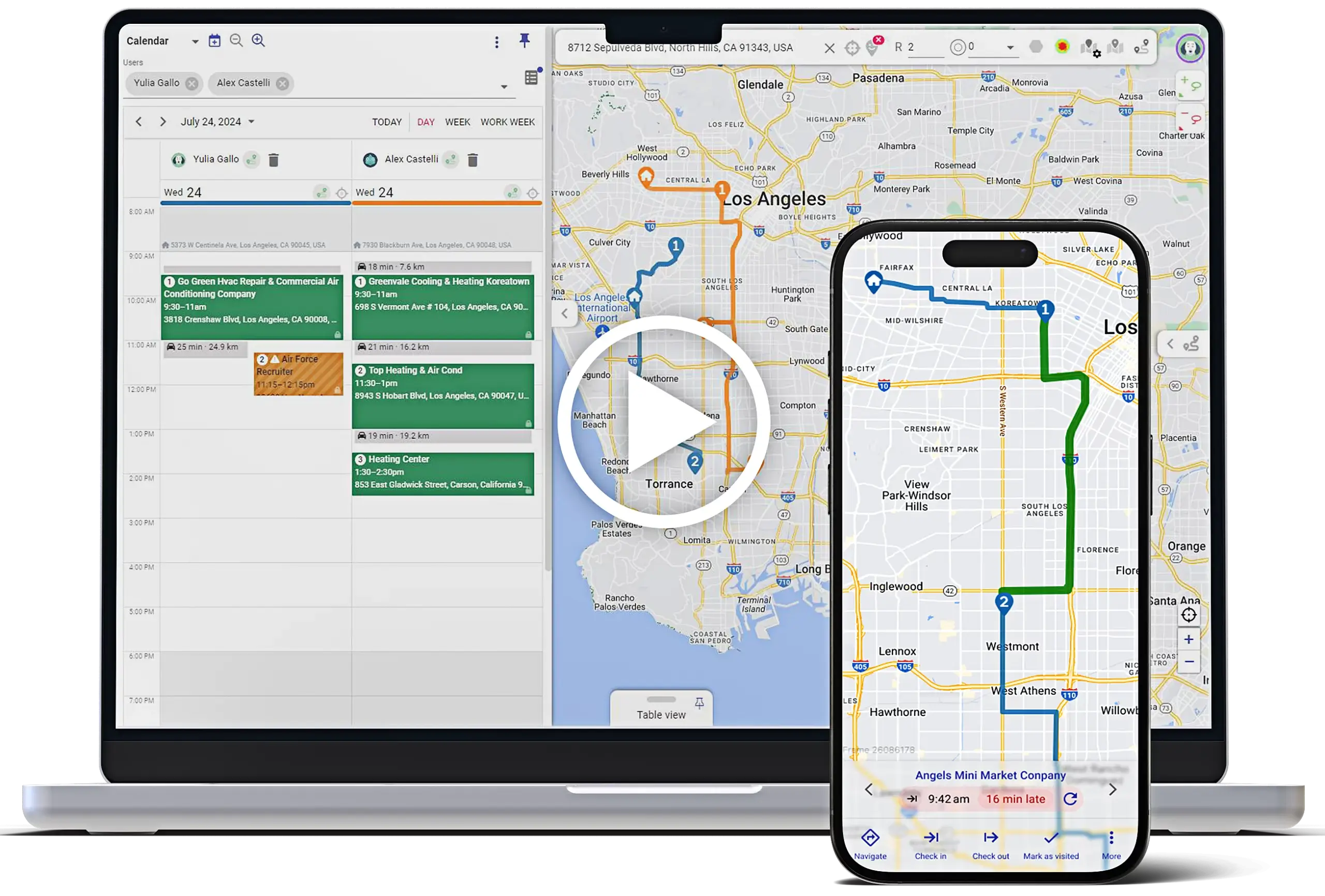
Mapsly is a CRM-connected geo-intelligence and field productivity platform built for daily field execution, not just mapping and analysis. It delivers multi-day, multi-user routing, automated territories with CRM writeback and much more so reps and managers can plan, execute, and report field work in real time.

While Maptitude excels at GIS-grade location analysis, territory design, and logistics planning for analysts, Mapsly is purpose-built to operationalize those insights directly inside your CRM, turning maps into action without custom builds or manual data handoffs.

What you gain with Mapsly

More appointments per day

Optimize multi-day routes across teams with real-world constraints.

Cleaner CRM data automatically

Two-way sync writes validated fields back to your records instantly—no delays, no duplicate entry.

Fewer tools to manage

Optimize multi-day routes across teams with real-world constraints.

Faster analytics and decisions

Live dashboards combine routes, check-ins, territories, and pipeline.

Future-proof processes

Adapt territories, forms, and workflows without IT or custom dev.

Products Overview

Mapsly: All-in-One Geo-Tools + Automation

Mapsly is an advanced CRM-connected geo-intelligence and field productivity platform built for daily field execution. It adds multi-day/team routing, territory automation with CRM writeback, mobile check-ins with geofencing and forms, offline execution, and low-code automation—while keeping the CRM as the system of record.

SalesRabbit: Canvassing, Digital Contracts & Motivation

Maptitude (by Caliper) is a GIS and business mapping platform designed for location analysis, territory design, and routing/logistics planning. It’s commonly used by analysts and operations teams to work with spreadsheet and database data, rather than as a CRM-native execution tool for field reps.

Comparison Table: Mapsly vs. Maptitude

Feature
Mapsly
Maptitude
CRM & data sync Native two-way CRM sync + APIs/webhooks ⚠️Data imports and custom integrations via SDK/API
التوجيه Multi-user, multi-day routing built for field execution Powerful routing/logistics tools, primarily planning-focused
الأقاليم Automated assignment, KPIs, CRM writeback Advanced territory modeling and optimization
Mobile & check-ins Geofenced check-ins, forms, photos/e-sign synced to CRM ⚠️Not designed for rep check-in or proof-of-visit workflows
الأتمتة Built-in low-code workflows for field operations ⚠️Developer/analyst-driven automation via scripting
Sharing & portals Secure live/embedded maps and portals Shareable maps as possible
تحليلات Field productivity and operational KPIs Deep spatial, demographic, and market analysis
Setup & support Fast go-live with implementation included at no extra cost ⚠️Phone and email support included, but no implementation
Primary use case Advanced CRM-driven field execution (routing, visits, check-ins, automation) GIS mapping and spatial analysis for planning and modeling

Why Mapsly is the better long-term choice

Built for best-of-breed stacks

Mapsly doesn’t replace your CRM—it amplifies it. Keep Salesforce, HubSpot, Zoho, Dynamics 365, Pipedrive, or Freshworks as the system of record while Mapsly delivers geo-intelligence, automation, and routing on top. Because the sync is real-time and two-way, your reps always work with live data, and managers get accurate analytics without spreadsheets.

Enterprise-Grade Multi-Day, Multi-User Routing

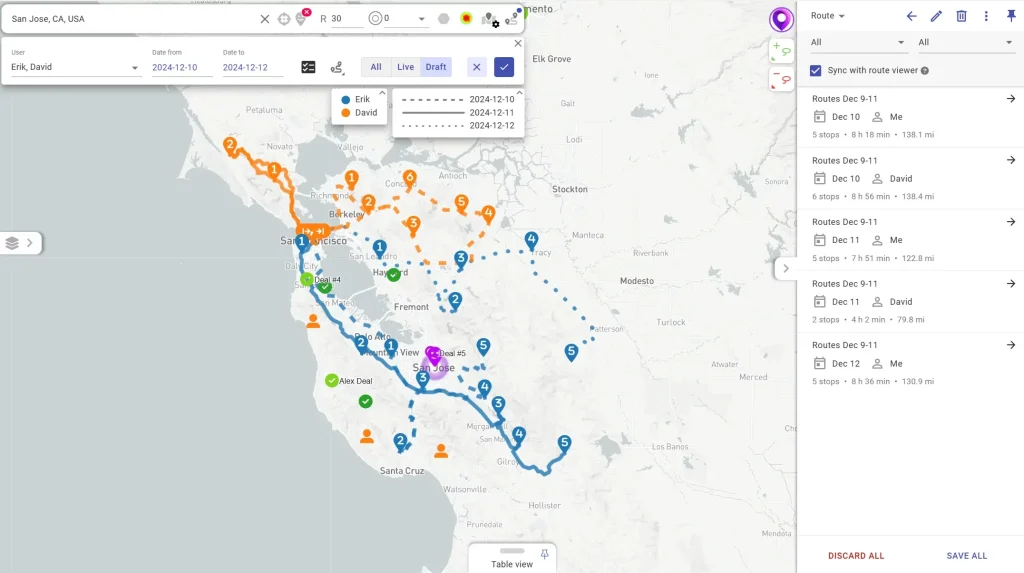
When your operation grows, so do your routing needs. Mapsly plans days or weeks ahead across dozens of users and thousands of stops, honoring real-world constraints: skills, capacity, time windows, store/open hours, service duration, overtime rules, rest breaks, and visit cadence. Export routes to calendars, re-optimize on the fly, and balance workloads across teams.

Truly Native Integrations with 15+ Platforms

Mapsly connects natively to CRMs like Salesforce, HubSpot, Zoho, Dynamics 365, and others—no Zapier or middleware required, with real-time two-way sync across custom objects, custom fields, and user permissions.

Low-/no-code automation & adaptive forms

Automate the field workflow end-to-end. Trigger actions from a button, a geofence, a form event, or a territory change. Validate entries, capture photos, signatures, and barcodes, attach files, and push updates back to CRM instantly. Use scripting and webhooks to call external APIs and orchestrate dispatching, approvals, and escalations—without heavy IT involvement.

Self-Service Analytics Platform From Day One

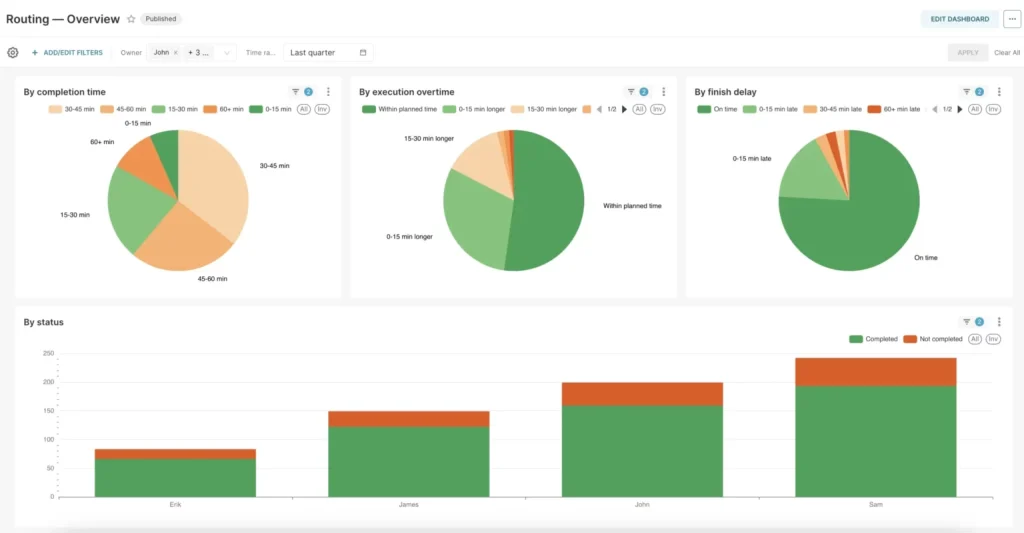
Launch interactive dashboards without a separate BI tool. Build 40+ chart types with filters and drill-downs that blend route data, check-ins, territories, and CRM metrics. Share department-ready templates, track SLA adherence and visit frequency, and spot whitespace opportunities with geo-visualizations.

Granular Access Control & Embedded Maps

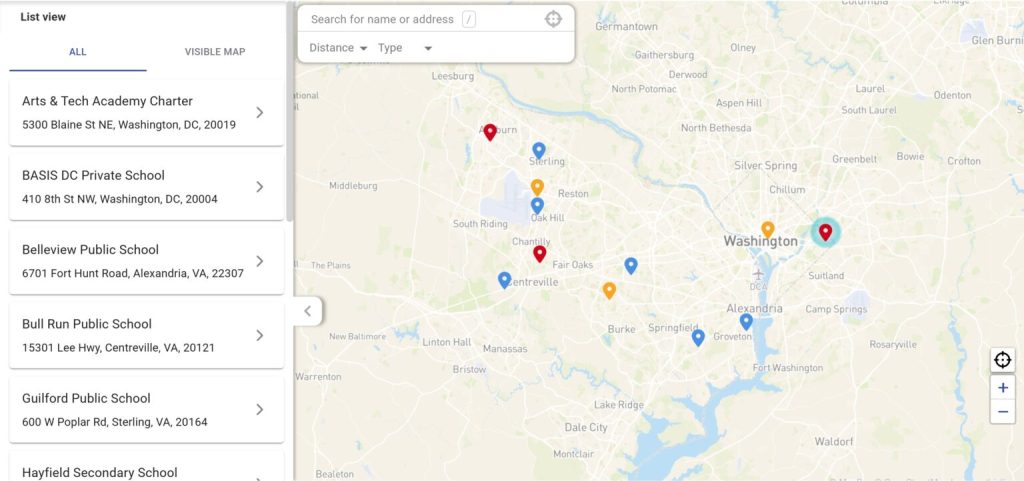
Publish interactive, filterable maps to websites, customer portals, partner hubs, or internal intranets—with real-time sync to your CRM. Fine-tune who sees what by role, territory, team, or ownership, including field/record-level rules and object-level controls.

Transparent Pricing & No-Cost Implementation—Even for Complex Workflows

Mapsly provides public pricing, a free 14-day trial, و, unlimited support and implementation—even for complex logic, workflows, or analytics.

Who Benefits from Replacing Maptitude with Mapsly

For Field Reps: Route Optimization + Mobile CRM

Plan optimal, multi-stop routes considering skills, time windows, priorities, and capacity.

Reps check in/out with GPS validation, capture photos, notes, signatures—even offline—and sync instantly to your CRM.

For Sales Teams: Lead Tracking + Territory Management

Assign and auto-update dynamic territories with Mapsly’s drawing tools or zip-code builder.

Mapsly automatically captures and timestamps each new lead collected by field reps, ensuring real-time data sharing and seamless integration with other sales tools. Trigger workflows when a lead enters a territory or view real-time territory performance dashboards.

For Marketing: Location Data + Segmentation

Analyze customer density, segment accounts by location, and launch geo-targeted campaigns.

Easily create territory-based marketing insights and dashboards.

How to Switch from Maptitude to Mapsly

1

Start a Free Trial

Fully featured trial with no credit card required.

2

Import Your Data

Upload a CSV or connect your CRM for automatic sync.

3

Customize Your Maps and Automations

We help set up forms, fields, routes, and dashboards.

1000+ Happy Customers Use Mapsly

"Mapsly helped us triple field productivity while saving over $500K/year."

إريك ليندنبرغ

مدير العمليات

اقرأ القصة
"I can track everything. Visit frequency, contact info updates, campaign reach. I get automated notifications instead of digging through spreadsheets."

Melissa Gilkes-Smith

COO

اقرأ القصة
"We don't have to write instructions anymore. They're already in the system when the merchant opens the tour."

Zoë de Wildt

Operations Specialist

اقرأ القصة

Pricing Comparison

Mapsly
  • Essential ($25/user/month): Mapping, table view, filters
  • Pro ($45/user/month): Adds routing, territories, offline mode, check-ins, automation
  • Enterprise ($65/user/month): Custom limits, SSO, advanced controls

Implementation and support are included for all plans during the free trial.

Maptitude:

Multiple licensing options (subscription and non-subscription), with pricing starting around $695, depending on deployment and package.

Tip: If your priority is CRM-connected field execution—routing teams daily, validating visits, and automating updates back into CRM—Mapsly is purpose-built for that. Maptitude is better suited for GIS-grade analysis and planning.

FAQ – Mapsly vs Maptitude

What is Maptitude used for?

Maptitude is used for business mapping and GIS workflows such as territory optimization, route planning/logistics, spatial and demographic analysis, and creating analytical maps from spreadsheets and databases.

Mapsly is more advanced for day-to-day field execution, offering CRM-native routing, mobile check-ins with validation, territory automation, and low-code workflows. Maptitude focuses on mapping and analysis rather than operational rep workflows.

Yes. Caliper offers Maptitude Online, a browser-based version alongside the desktop GIS software.

Maptitude supports data integration through imports and developer tooling, but does not provide out-of-the-box two-way CRM connectors like Mapsly.

Yes. Reps can run simple daily routes—or managers can schedule days/weeks across teams with skills, capacities, and time windows. Mapsly fits both lightweight canvassing and complex service/sales scheduling.

Maptitude can handle routing and territory analysis, but it lacks mobile execution, geofenced check-ins, and CRM-native automation, which are core strengths of Mapsly.

Yes. Mapsly mirrors your CRM schema—including custom objects/fields and role/ownership rules—so field users see exactly what they should and your analytics stay accurate.

Teams that need a more advanced, CRM-first field productivity platform with optimized routes, automated territory assignment, mobile check-ins/forms, and real-time CRM updates.

Caliper offers a free trial for Maptitude. Mapsly also offers a full-feature trial, with implementation support included so teams can evaluate a production-ready setup.

Managers get multi-user calendars, territory analytics, route adherence metrics, and drill-down dashboards tied directly to CRM outcomes—pipeline, revenue, SLAs—so coaching and capacity planning become data-driven.

Yes. Embed interactive maps with filters and secure write-back in customer portals or partner pages to collect requests, display coverage, or report progress—without giving full app access.

Absolutely. Teams use Mapsly for service dispatch, account-based selling, retail execution/merchandising, medical device coverage, CPG/wholesale routes, and more.

24/7 live chat and same-day/week web calls with solution engineers. We help you configure your first workflows and dashboards during the trial and provide enablement for reps and managers.

Week 0–1: connect CRM, import data, define territories & constraints.
Week 1–2: build forms/automations, pilot routes, publish dashboards.
Week 2–4: train reps/managers, expand regions, embed maps as needed.
Ongoing: iterate on rules and dashboards as volumes grow.

Get Started Today

Try Mapsly for free and see why it’s the #1 Maptitude alternative for field teams that need a complete, flexible, and powerful solution

✓ Support 24/7 ✓ GDPR-ready ✓ SOC 2 Type II compliant ✓ Cancel anytime

This comparison is based on publicly available information from each vendor’s website, documentation, and marketing materials as of January 2026. Features and capabilities may vary by plan, configuration, or over time. If you believe any information is inaccurate or outdated, please contact us and we’ll be happy to review and update it.